Surat Muatan – Update Status SM ReturErika2018-06-12T23:50:10+07:00
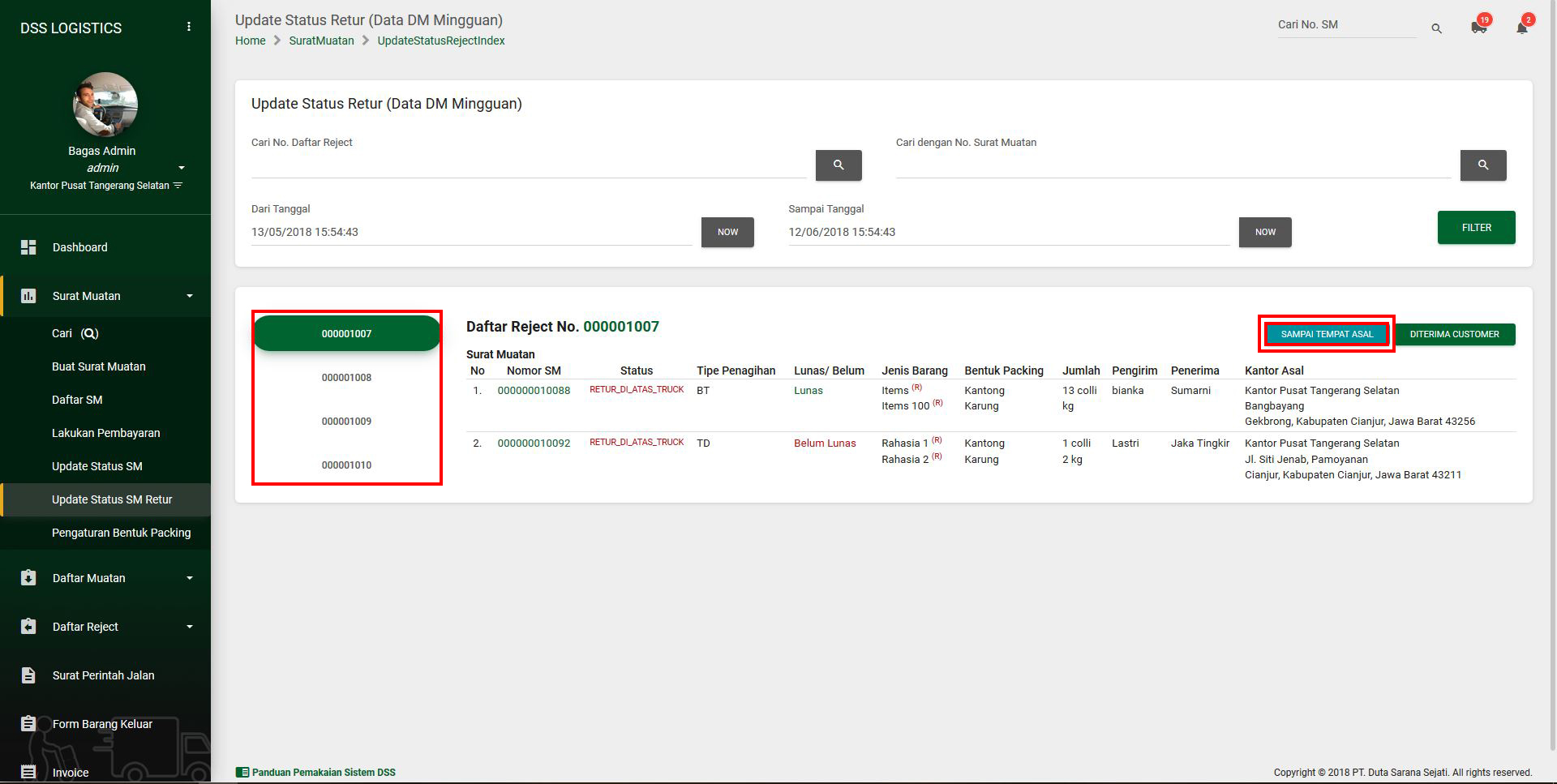
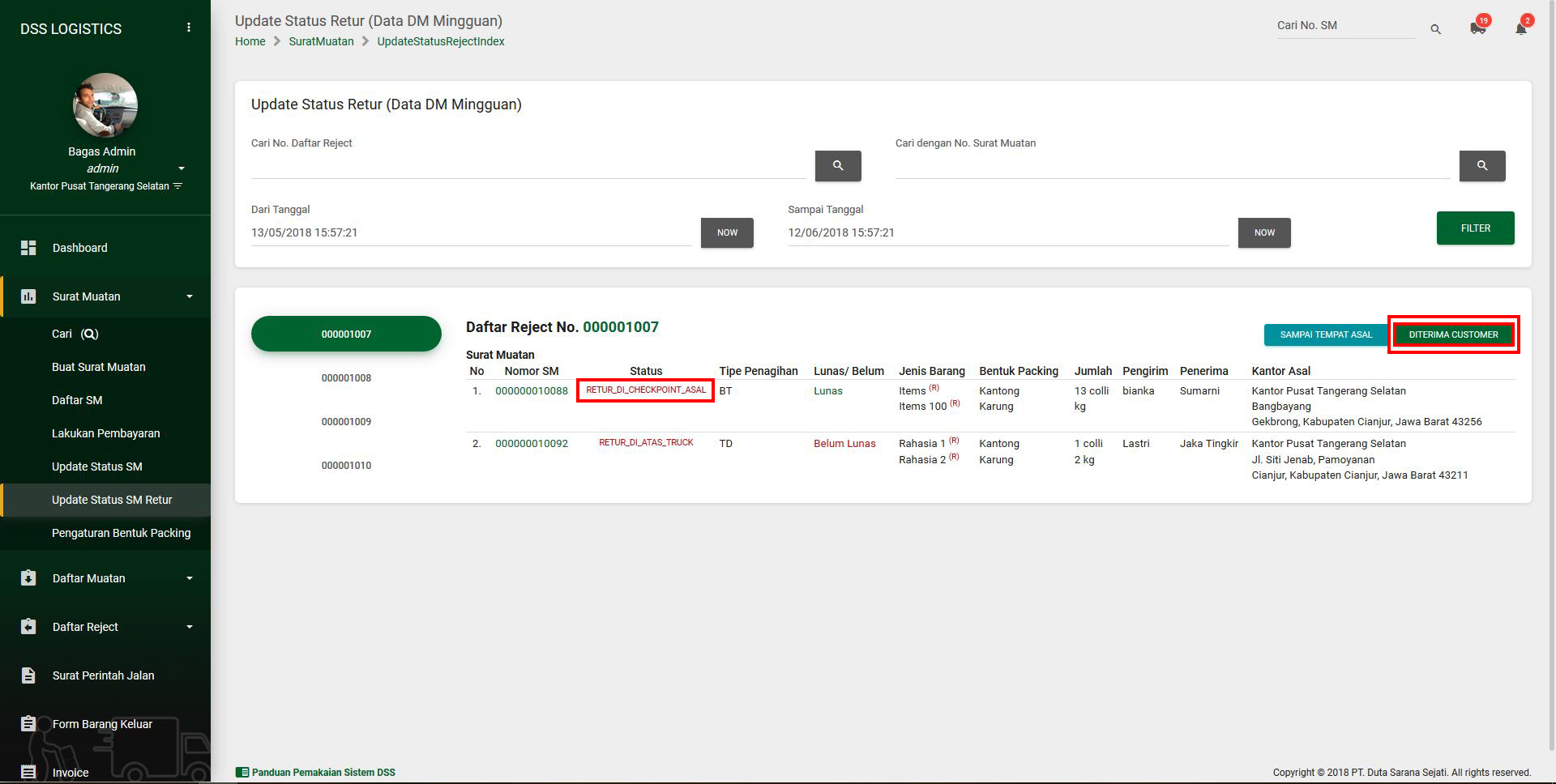
Saat Barang Retur tiba, klik menu Surat Muatan -> Update Status SM Retur untuk mengupdate status barang.
1. Pilih Daftar Reject nya terlebih dahulu
2. Klik Button Sampai Tempat Asal yang berwarna biru muda.
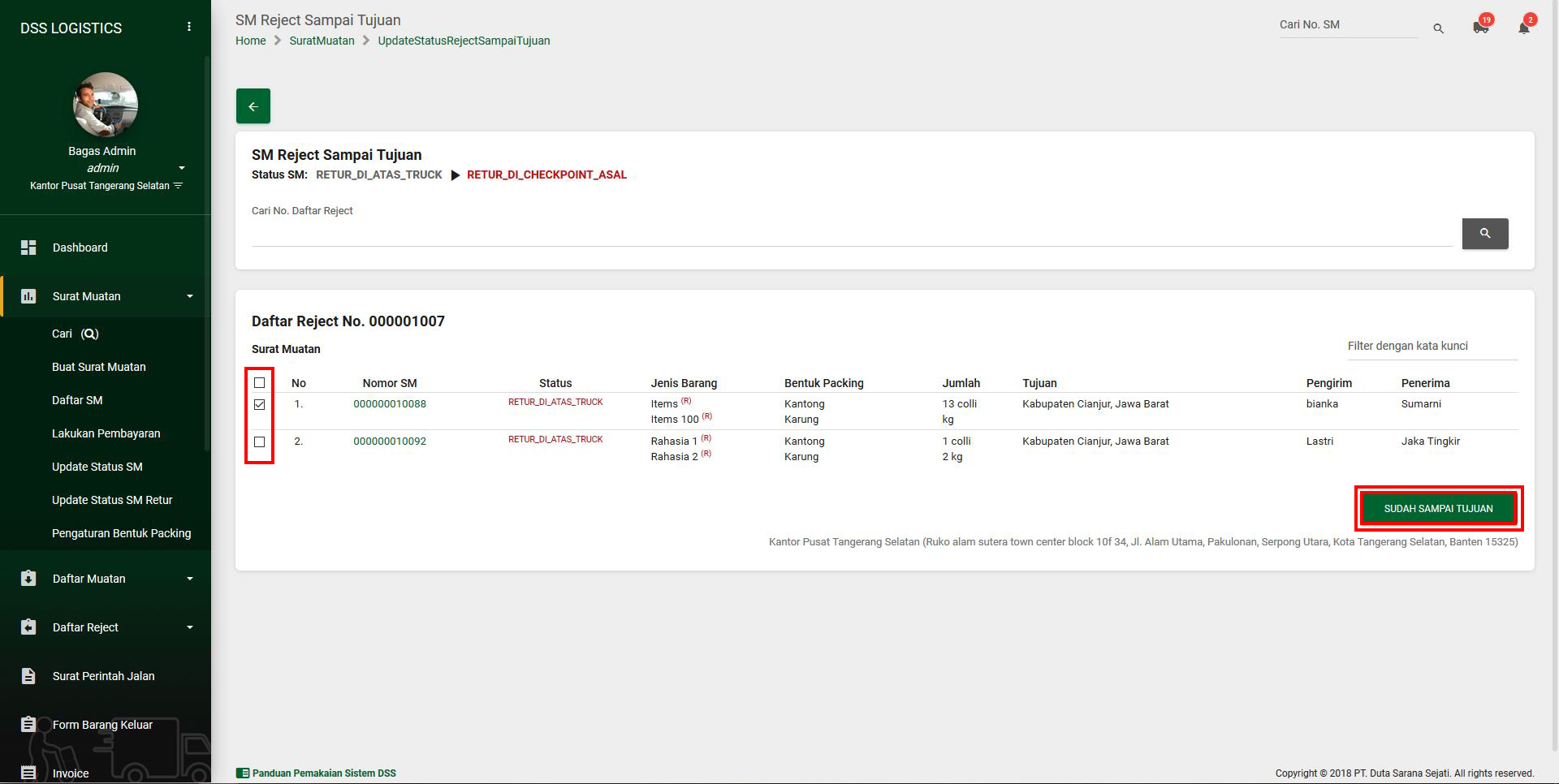
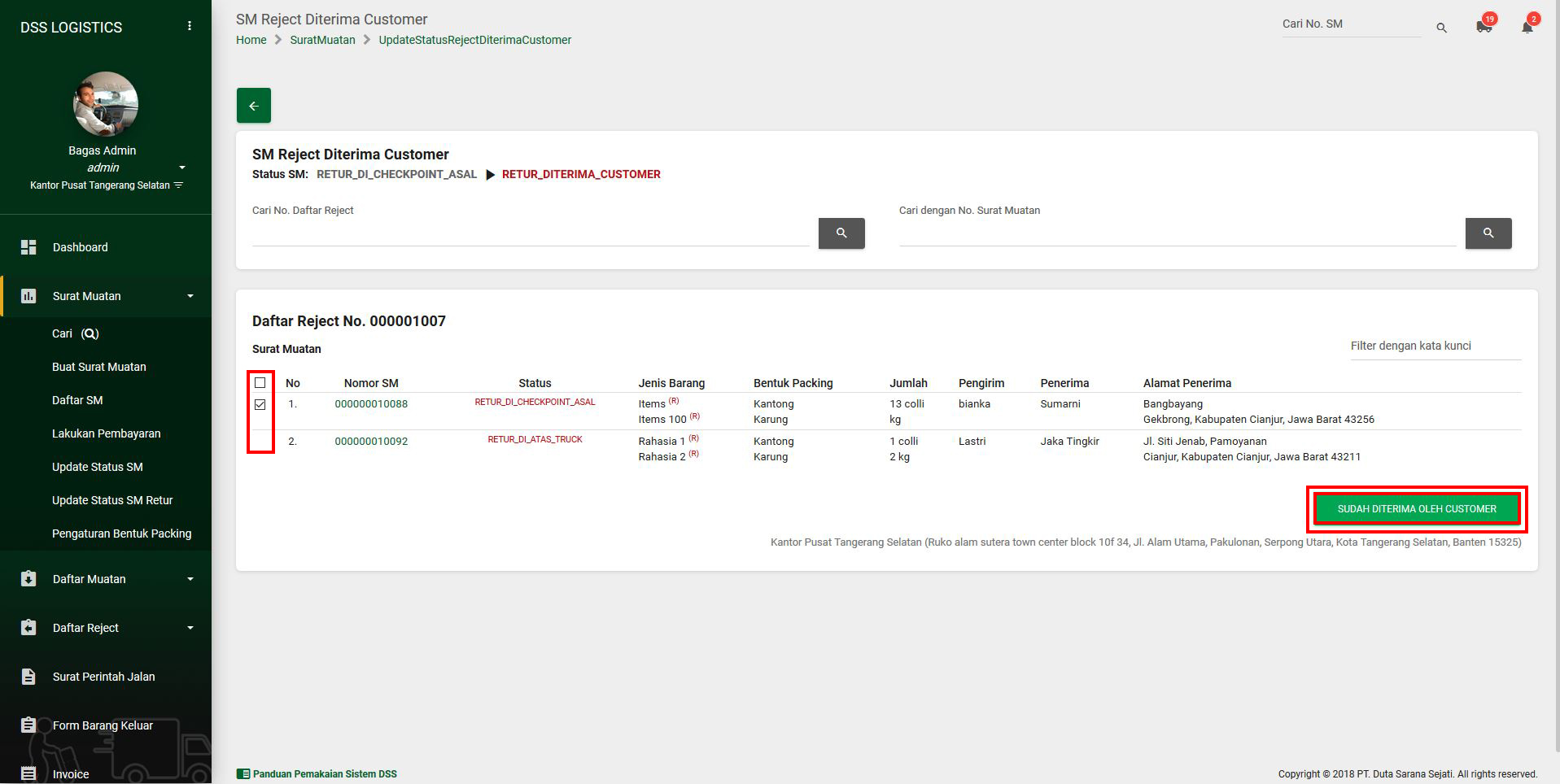
3. Centang SM yang sudah sampai di tempat asal. Lalu klik button Sudah Sampai Tujuan.
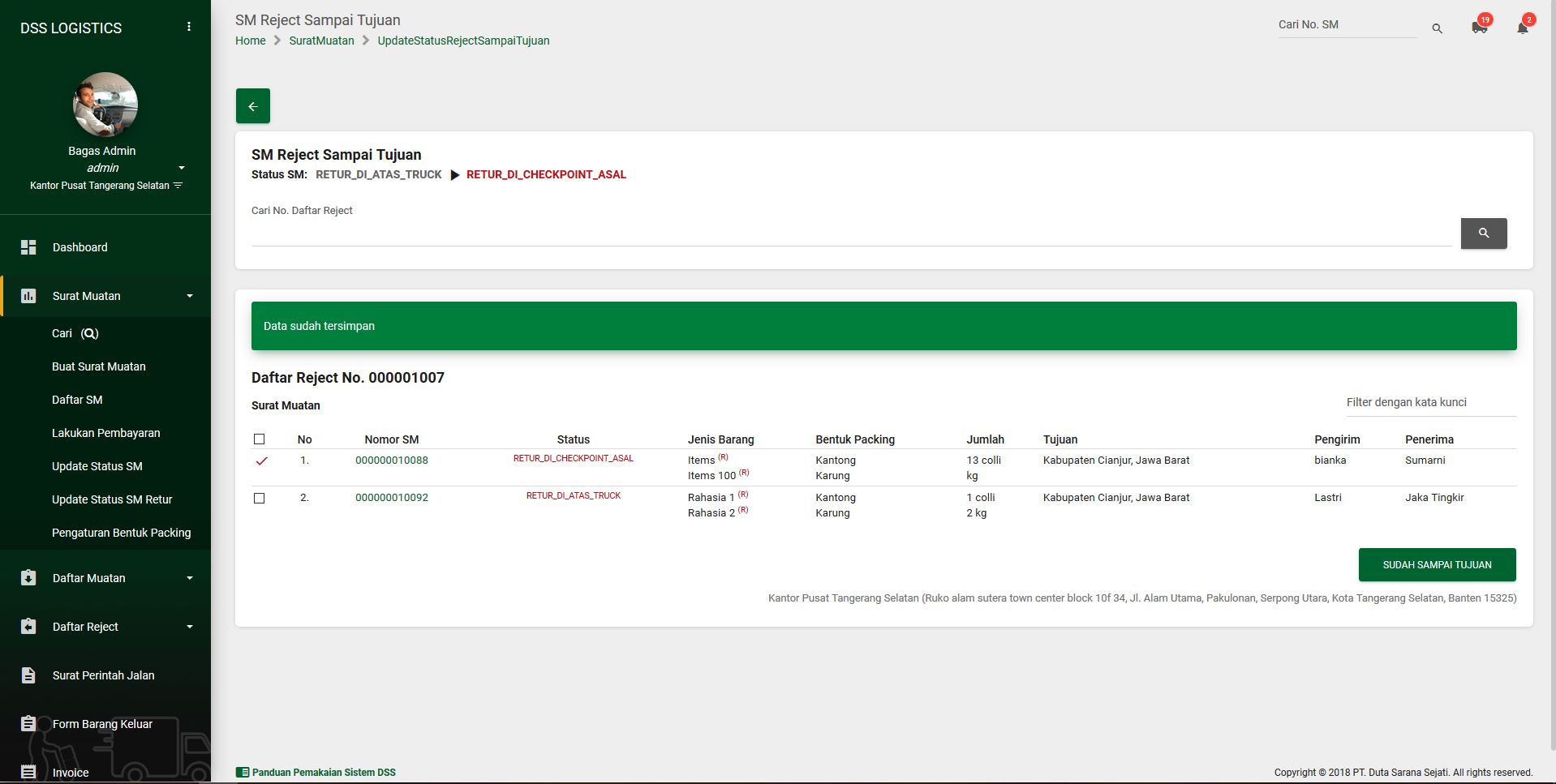
4. Setelah itu SM akan berganti status menjadi retur_di_checkpoint_asal.
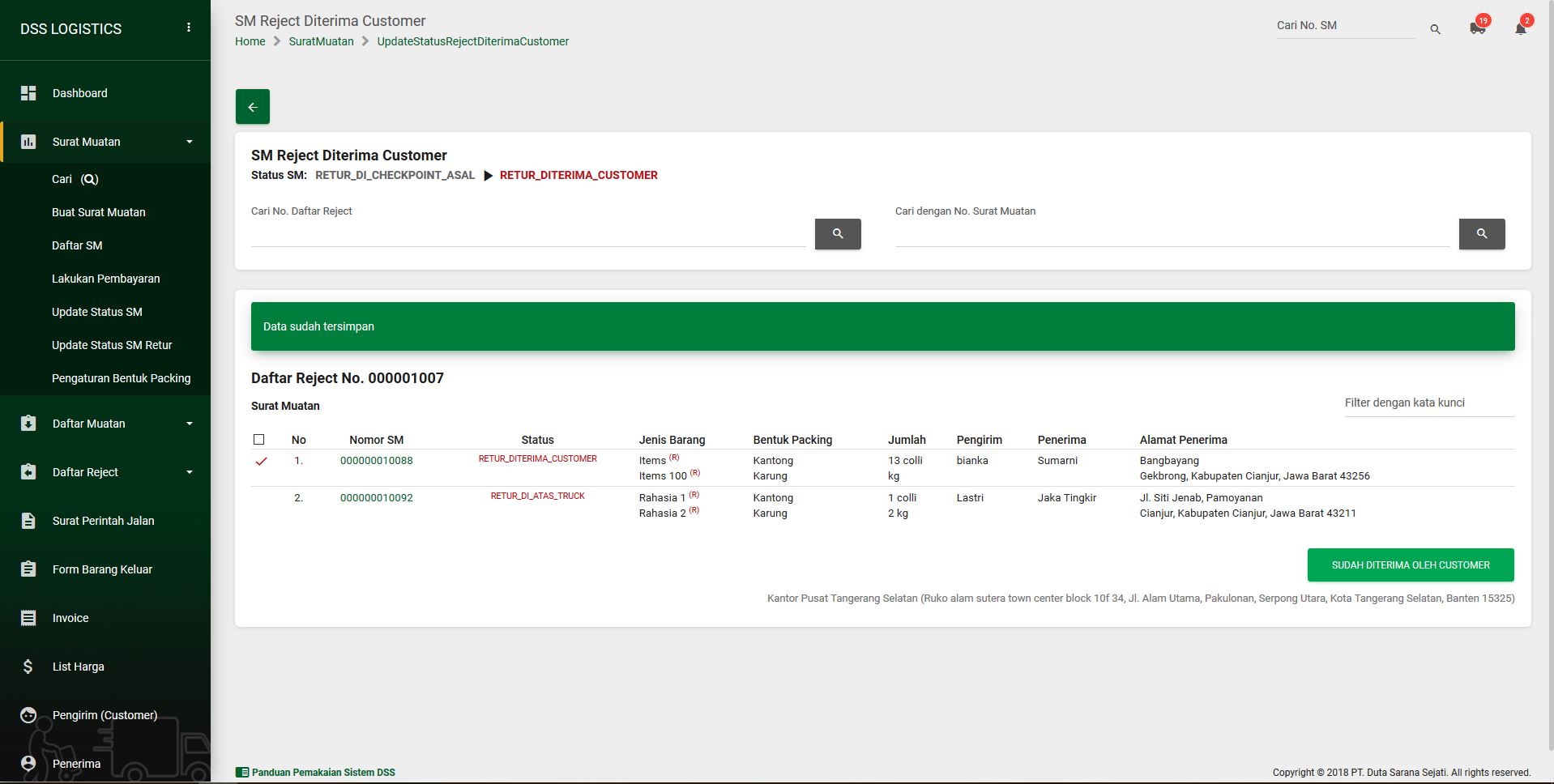
Jika SM sudah diterima customer, piih daftar reject dengan status retur_di_checkpoint_asal lalu klik button Diterima Customer yang berwarna hijau.
5. Centang SM yang sudah diterima customer ( SM yang bisa di centang adalah SM dengan status retur_di_checkpoint_asal). Lalu klik button Sudah Diterima Oleh Customer.
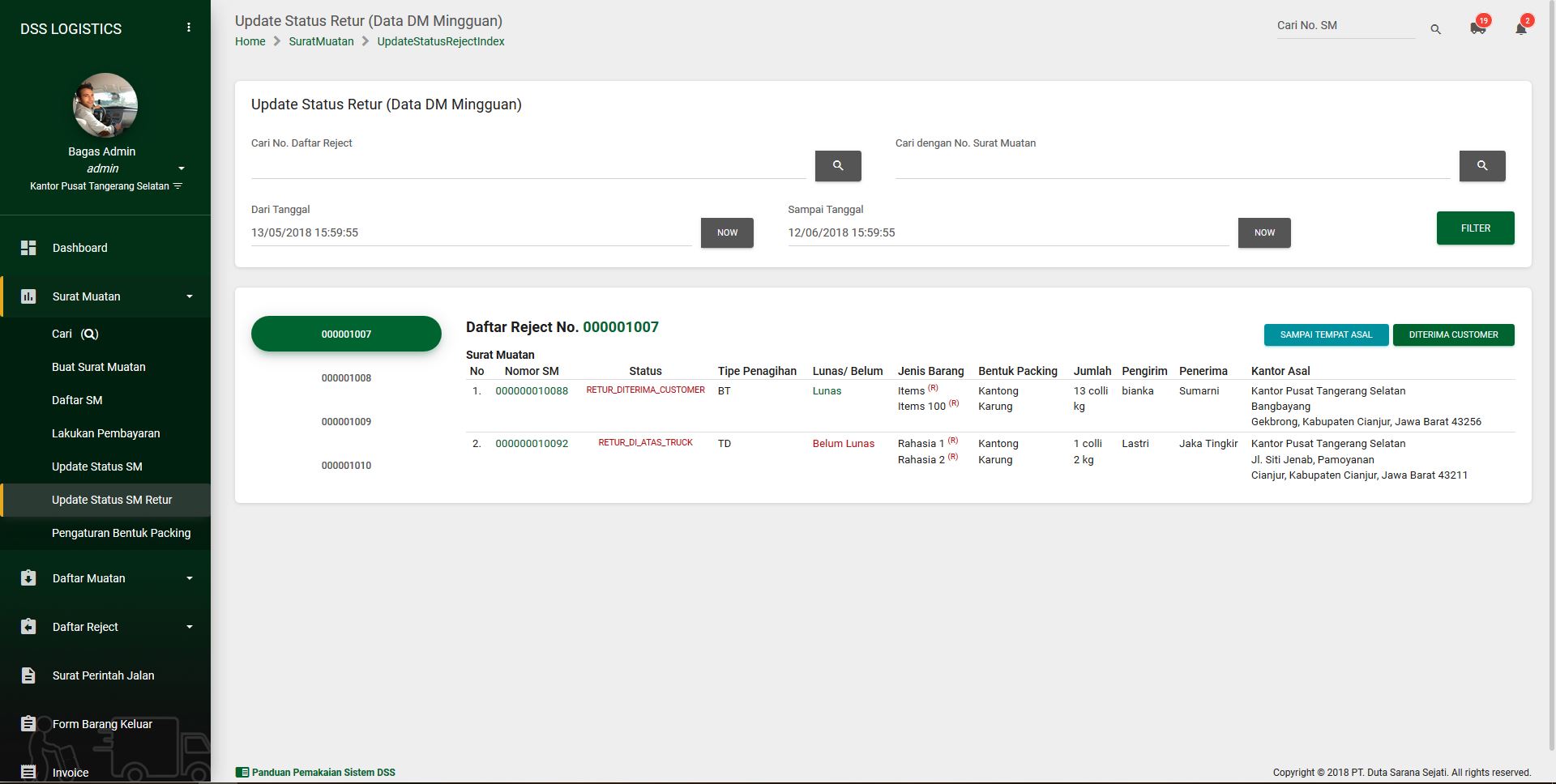
Jika SM sudah di terima customer, status SM akan menjadi retur_diterima_customer
This Sliding Bar can be switched on or off in theme options, and can take any widget you throw at it or even fill it with your custom HTML Code. Its perfect for grabbing the attention of your viewers. Choose between 1, 2, 3 or 4 columns, set the background color, widget divider color, activate transparency, a top border or fully disable it on desktop and mobile.
This Is A Custom Widget
This Sliding Bar can be switched on or off in theme options, and can take any widget you throw at it or even fill it with your custom HTML Code. Its perfect for grabbing the attention of your viewers. Choose between 1, 2, 3 or 4 columns, set the background color, widget divider color, activate transparency, a top border or fully disable it on desktop and mobile.